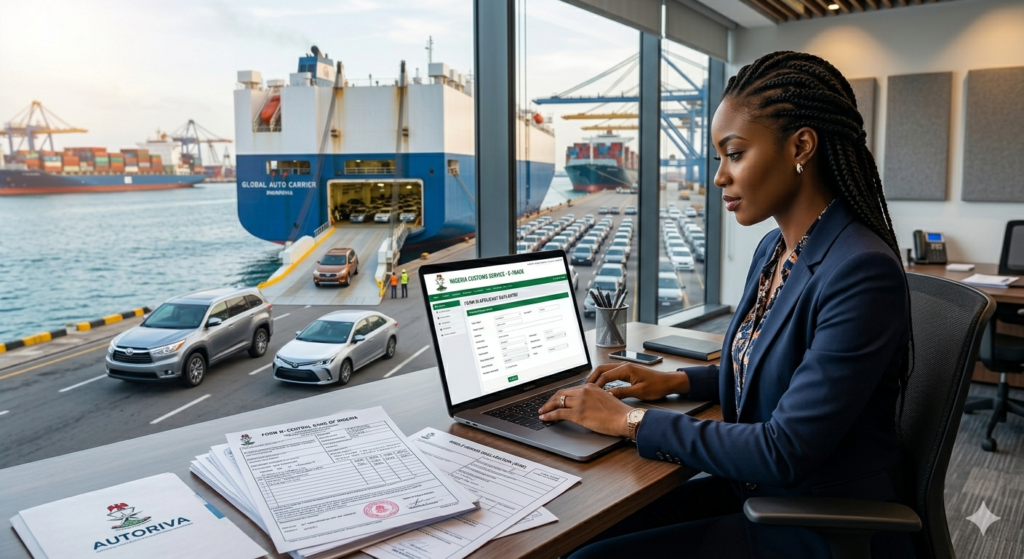
Importing a car into Nigeria involves several official steps — and Form M is the very first one. Without it, your vehicle cannot legally enter the country. Yet many first-time importers make costly mistakes simply because they don’t understand what the form is, how to fill it, or what to attach.
In this guide, we walk you through everything you need to know about filling Form M for car importation in Nigeria, from requirements and documents to the step-by-step process on the Federal Government’s Trade Portal.
Whether you’re importing a car from the US, UK, Canada, or anywhere else, this is your complete 2025 reference.
What Is Form M? (And Why Does It Matter for Car Importation?)
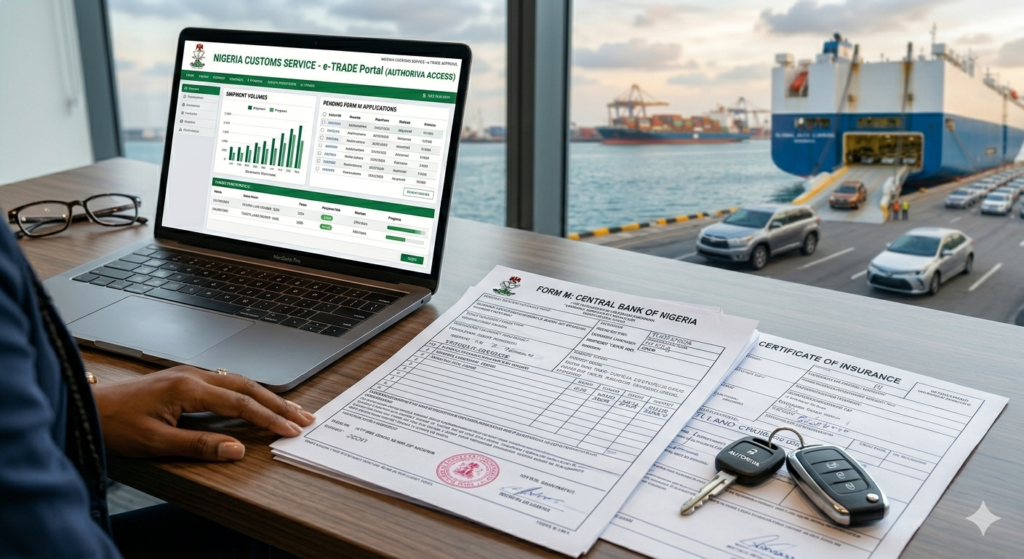
Form M is a mandatory statutory document issued by the Central Bank of Nigeria (CBN) and processed through the Nigeria Customs Service (NCS). It is required for every physical importation into Nigeria — including vehicles — regardless of whether payment in foreign exchange is involved.
Think of it as your government declaration of intent to import. Before your car is shipped, before payment is made, before anything else moves — Form M must be in place.
Here’s why it matters specifically for car importation:
- It controls foreign exchange usage tied to the import
- It enables Nigeria Customs to track and assess import duties and levies
- It triggers the Pre-Arrival Assessment Report (PAAR) process
- It is the legal basis for your vehicle clearing agent to work with NCS at the port
Bottom line: No Form M, no car importation. Getting it right from the start saves you time, money, and port demurrage fees.
Who Needs to Fill Form M?
Any individual or registered business intending to import a vehicle into Nigeria must process a Form M. This includes:
- Private individuals importing personal vehicles
- Car dealers importing stock for resale
- Corporate organisations importing fleet vehicles
Important: You must be a registered entity with the Corporate Affairs Commission (CAC) and have a valid Tax Identification Number (TIN) from the Federal Inland Revenue Service (FIRS). Sole proprietors and limited liability companies can both apply.
Form M Requirements: What You Need Before You Start
Gather these before logging into the portal:
Personal/Company Requirements
- Valid TIN (Tax Identification Number) — this is your username on the Trade Portal
- CAC registration (Business Name or Limited Liability Company)
- An active account with an Authorised Dealer Bank (e.g., GTBank, Access Bank, Zenith Bank, First Bank, UBA, etc.)
- FIRS-activated TIN (you must have activated it specifically on the FIRS platform)
Documents Required
- Proforma Invoice from your overseas supplier (valid for 3 months; must include vehicle make, model, year, VIN/chassis number, and price)
- SONCAP Certificate — mandatory for vehicles imported to confirm conformity with Nigerian standards (issued by approved pre-shipment inspection agents)
- Marine/Cargo Insurance Certificate — valid insurance policy for the shipment
- Vehicle title document (where applicable, e.g., US title, UK V5C logbook)
Technical Setup
- Computer or laptop (not mobile — the portal works best on a desktop browser)
- Stable internet connection
- Scanner (to upload supporting documents)
- Printer (for signed copies)
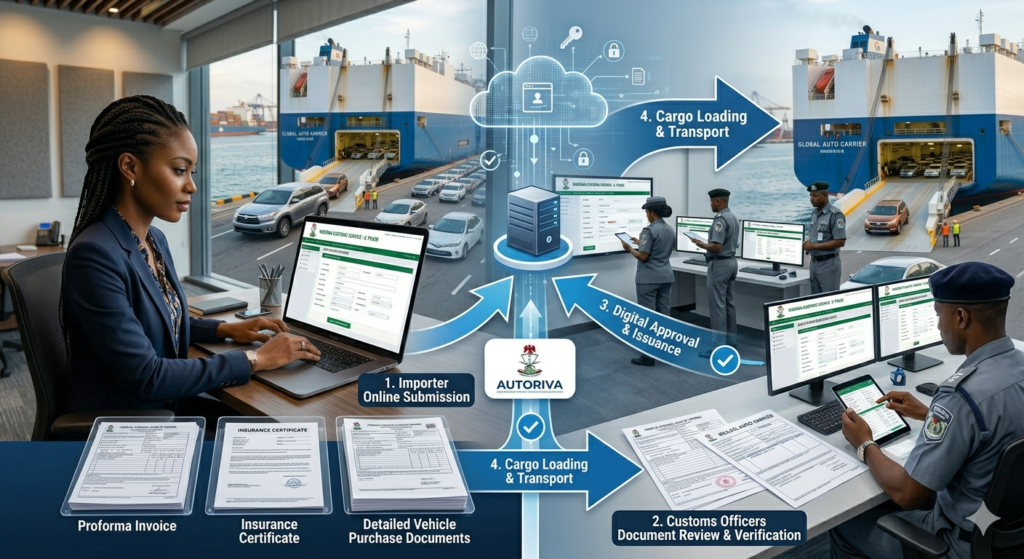
Step-by-Step: How to Fill Form M for Car Importation in Nigeria
Step 1: Log In to the Federal Government Single Window Trade Portal
Go to www.trade.gov.ng — this is the official portal managed by Nigeria Customs Service.
- Your username is your TIN number
- Enter the password you created when registering on the portal
- Once logged in, your company name will appear in the upper-right corner of the screen
New user? You must first register on the portal using your CAC documents and TIN before you can log in. Registration also requires your bank’s authorised dealer code.
Step 2: Navigate to the Form M Application
From your dashboard:
- Click on “Consignment” or “Online Submission” in the menu
- Select “CBN Form Services”
- Click “Fill Form M”
You will see several tabs across the top of the form: Header, Names and Parties, Transport, Finance, Goods, Attachments, and Submit. Work through them in order.
Step 3: Fill the “Header” Tab
This tab sets up the basic parameters of your Form M.
| Field | What to Enter |
|---|---|
| Valid for FOREX | Select Yes if you’ll be paying in foreign exchange, or No if not |
| Form M Prefix | Select BA (most vehicles — destination inspection applies) or BC (items exempted from destination inspection) |
| AD’s Bank Code | Click the dropdown and select your Authorised Dealer Bank |
| Bank Branch | Select your specific branch (or “Headquarters” if unsure) |
Tip for car importers: Almost all vehicles fall under the BA prefix, meaning your vehicle will be subject to destination inspection by a government-approved agent after arrival.
Step 4: Fill the “Names and Parties” Tab
This section captures who is buying and who is selling.
- Applicant details — your company’s information. Most fields are auto-populated from your CAC and TIN registration and cannot be changed here
- Beneficiary details — this is your overseas supplier (the car exporter or dealership). Enter their full name, address, country, and bank details exactly as they appear on the Proforma Invoice
Accuracy here is critical. Any mismatch between the Form M and the Proforma Invoice can lead to delays or rejection.
Step 5: Fill the “Transport” Tab
Enter the shipping and logistics details for your vehicle.
- Country of Supply: The country where the car is being shipped from
- Country of Origin: Where the vehicle was originally manufactured (e.g., Japan, USA, Germany)
- Port of Loading: The departure port (e.g., Port of Baltimore, Southampton, Osaka)
- Port of Discharge: Your Nigerian arrival port — typically Apapa Port, Lagos or Tin Can Island Port
- Mode of Transport: Select Sea for most car imports (or Air if applicable)
Step 6: Fill the “Finance” Tab
This is where you declare the financial terms of your purchase.
- Currency: Select the currency of your Proforma Invoice (USD, GBP, EUR, etc.)
- Total CIF Value: Enter the total Cost, Insurance, and Freight value of the vehicle
- Payment Terms: Select the appropriate option (e.g., Letters of Credit, Bills for Collection, Advance Payment)
- Incoterms: Select the agreed trade term with your supplier (e.g., FOB, CIF, CFR)
Car importers note: The declared CIF value will be used by Nigeria Customs to calculate import duty. Nigerian customs applies a 35% duty rate on vehicles plus a 35% levy, so accuracy here is essential — and so is not undervaluing your vehicle.
Step 7: Fill the “Goods” Tab
This is where you describe your vehicle in detail.
Required information includes:
- HS Code (Harmonised System Code): For passenger cars, this is typically 8703 series. Work with your clearing agent to identify the correct code for your specific vehicle type
- Generic Product Name: e.g., “Used Motor Vehicle” or “New Passenger Motor Car”
- Brand/Make: e.g., Toyota, Honda, Ford
- Model: e.g., Camry, Accord, Explorer
- Year of Manufacture
- Quantity: Number of units (usually 1)
- Unit and Total Value
Important restriction: Nigeria bans the importation of vehicles older than 15 years (some policies cite 12 years — always confirm the current NCS guideline as this has changed in recent policy updates). Your vehicle’s year of manufacture must comply with current regulations or your Form M will be rejected.
Step 8: Upload Attachments
Click the “Attachments” tab and upload scanned copies of all supporting documents:
- Proforma Invoice (from your supplier)
- SONCAP Certificate or relevant conformity certificate
- Marine/Cargo Insurance Certificate
- Any regulatory permit or certificate required for your specific vehicle type
All documents should be clear, legible scans in PDF or JPEG format.
Step 9: Submit Your Form M
Once all tabs are completed:
- Click “Verify” to review all entries for errors
- Make corrections if flagged
- Click “Submit” to transmit the form to your Authorised Dealer Bank
Your bank’s trade team will then:
- Review and verify all submitted information and documents
- Carry out Know Your Customer (KYC) checks
- Validate and transmit the Form M to Nigeria Customs Service (NCS)
The NCS will then register your Form M, after which it becomes valid for importation.
What Happens After Form M Is Approved?
Once NCS registers your Form M, the importation process continues:
- Share Form M with your supplier — they need the Form M number to proceed with shipping
- Supplier ships the vehicle and sends you the Bill of Lading, packing list, and commercial invoice
- Apply for Form M to be endorsed by the bank once shipping documents are received
- Pre-Arrival Assessment Report (PAAR) is generated on the NCS portal
- Customs examination and duty payment at the port
- Vehicle release upon all duty and levy payments
Form M Validity Period
| Type of Import | Initial Validity | Maximum Extension |
|---|---|---|
| General goods (including used vehicles) | 180 days | 180 additional days |
| Capital goods/machinery | 365 days | 365 additional days |
Extensions beyond these limits require approval directly from the CBN Director of Trade and Exchange.
Common Mistakes to Avoid When Filling Form M for Car Importation
1. Mismatched Proforma Invoice details Your Form M must match your Proforma Invoice exactly — vehicle description, value, supplier name, and address. Any inconsistency triggers rejection.
2. Wrong HS Code Using the wrong Harmonised System Code for your vehicle can lead to wrong duty assessment and customs delays. Work with a licensed clearing agent who knows the correct code for your car type.
3. Undervaluing the vehicle Nigeria Customs has access to international pricing databases. Deliberately understating your vehicle’s value is considered fraud and can result in seizure of your car.
4. Importing a car that exceeds the age limit Always verify that your vehicle year complies with the current NCS import restriction before paying for it abroad.
5. Submitting without SONCAP SONCAP (Standards Organisation of Nigeria Conformity Assessment Programme) certification is mandatory for most imported vehicles. Without it, your Form M submission may be incomplete.
6. Not notifying your bank After submitting your Form M online, always notify your bank’s trade desk by email or phone. The form won’t move forward without bank action.
Do You Need a Clearing Agent?
While it is technically possible for an individual to process Form M themselves, most importers — especially first-timers — work with a licensed customs clearing agent (also called a freight forwarder). A good agent will:
- Ensure your Form M is correctly filled and approved
- Handle HS code classification
- Manage the PAAR process
- Coordinate port clearance and duty payment
- Help you avoid the delays that cost money in demurrage
At Autoriva, we connect Nigerians in the diaspora and at home with trusted, verified car importers and clearing agents to make the process seamless. Whether you’re buying from the US, UK, or Canada, we ensure your vehicle arrives correctly documented and cleared.
Frequently Asked Questions
How long does Form M approval take? Typically 24–72 hours after your bank receives and validates your submission, though it can take longer during high-volume periods.
Can I process Form M without a registered company? No. You must have a CAC-registered business and a TIN. Individuals importing under a business name are acceptable.
What if my Form M expires before shipment? Apply to your bank for an extension before the expiry date. Do not wait until after it has lapsed.
Is Form M required for cars imported as personal effects? Yes, even non-commercial imports of vehicles require Form M. However, duty concessions may apply for returning residents under certain conditions — consult your clearing agent.
What does FOREX “Yes/No” mean on Form M? Selecting “Yes” means you’ll be using foreign exchange to pay your supplier. Select “No” for already-paid or gifted vehicles. This affects how your bank treats the transaction.
Filling Form M correctly is the foundation of a successful car importation in Nigeria. Get it right and everything downstream — shipping, port clearance, duty payment — runs much more smoothly. Get it wrong and you face delays, fines, and in worst cases, seizure of your vehicle.
Key things to remember:
- Start Form M before you pay your supplier abroad
- Ensure your Proforma Invoice matches every detail on the form
- Work with your authorised dealer bank and alert them after submitting
- Partner with a knowledgeable clearing agent for port-side processing
Need help importing a car into Nigeria? Autoriva connects you with verified dealers, shipping partners, and clearing agents who handle the entire process — from source to your driveway. Explore our services →